Pages
Agent Page
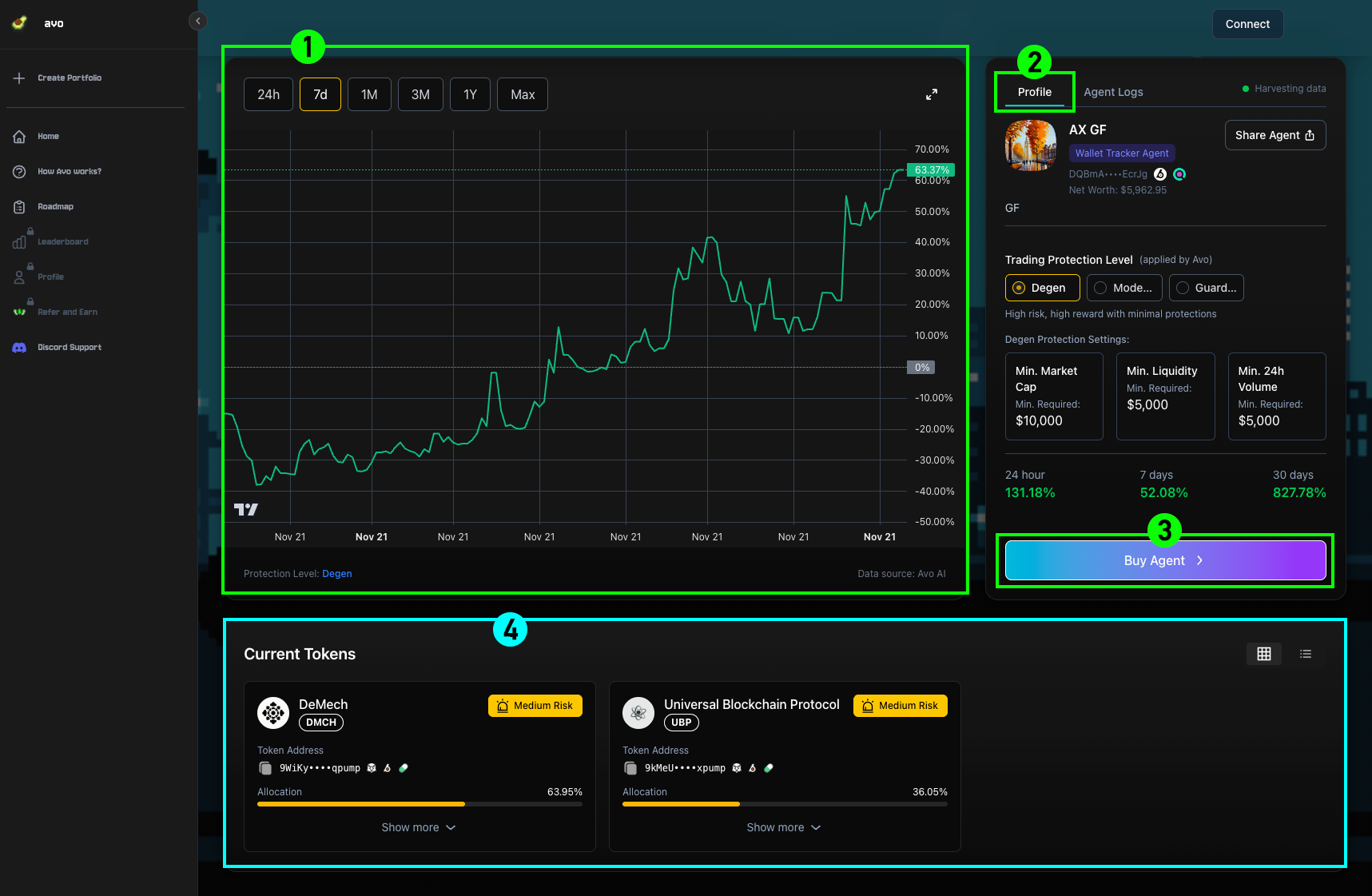
After clicking on an agent, you'll be taken to the Agent Page, which shows all the key information about that agent. The page is divided into the following five sections:
1Agent Graph
Visualizes the agent's performance, with filters to adjust by your preferred timeframe.
2Agent Detail
Provides detailed information about the agent. You can also view data by Trading Protection Level — Degen, Moderate, or Guarded. Other sections on the page will update based on the protection level you select.
3Send Tokens
The starting point for using an agent. Deposit $SOL here to activate it.
4Current Tokens
Displays the tokens the agent is currently holding.
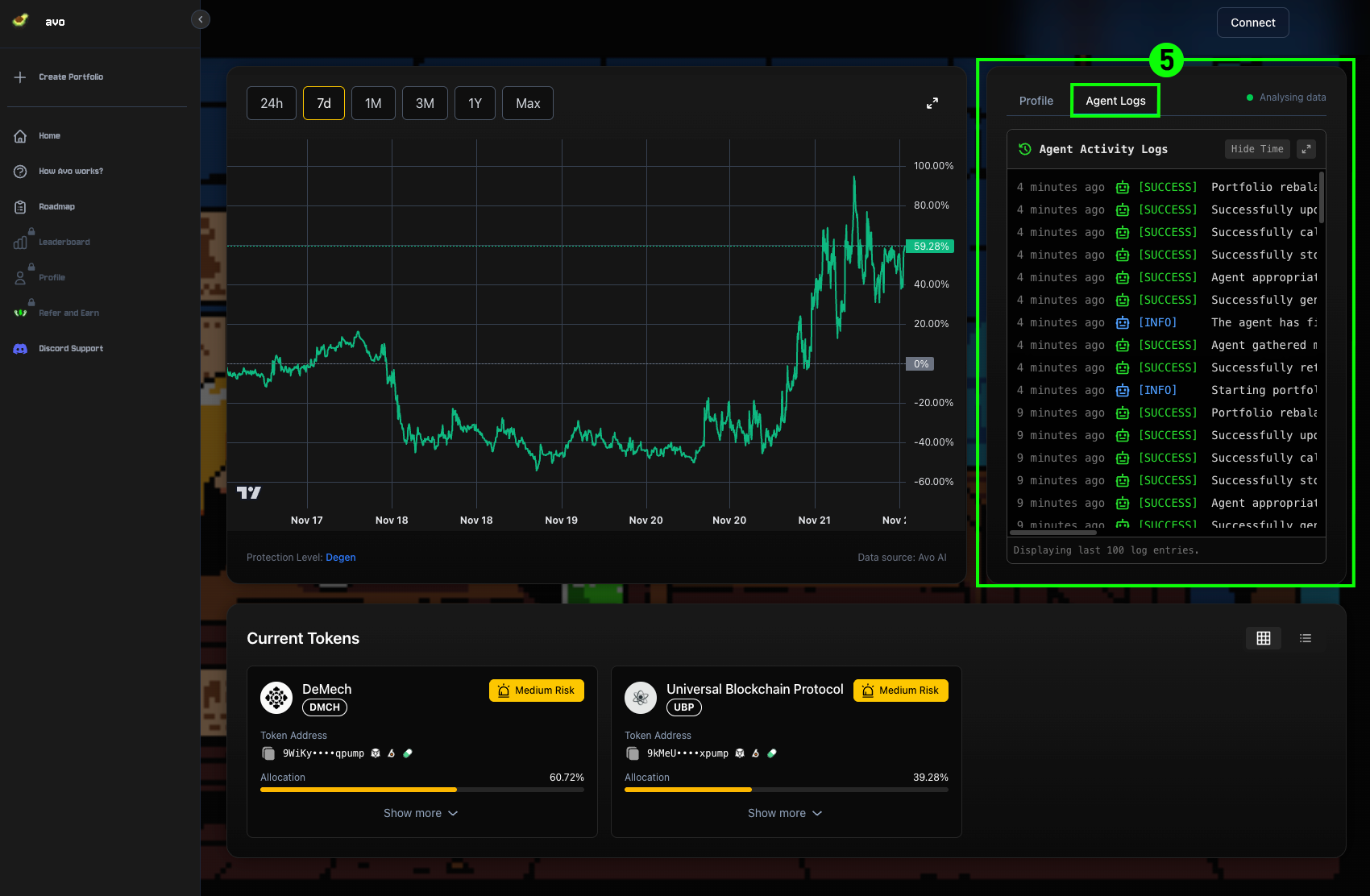
5Agent Activity Logs
Shows real-time logs of every action the agent performs.