Pages
Agent Pool Page
Select an agent from the Profile Page to access the Agent Pool page, where you can customize, view details, and manage your positions including adding or reducing them.
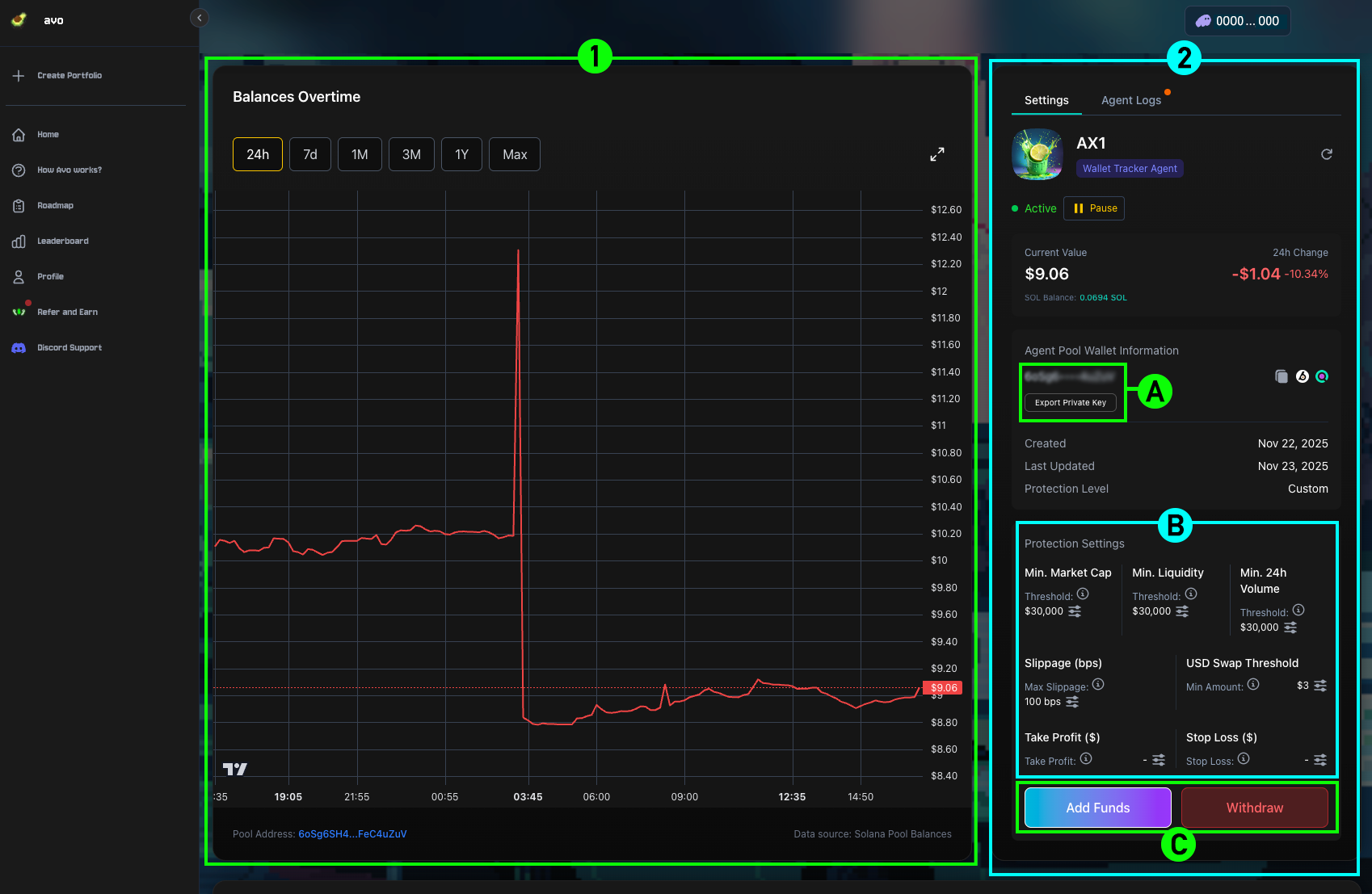
1Balances Over Time
A graph showing your balance history within the Agent Pool.
2Agent Pool Info & Settings
This section includes:
- (A) Private Key Export — Export the private key of your pool and import it into any wallet that supports the Solana chain, such as Phantom, to directly manage the tokens within the pool.
- (B) Protection Settings — Configure Protection Settings and Take Profit & Stop Loss.
- (C) Fund Management — Add funds or withdraw from the Agent Pool.
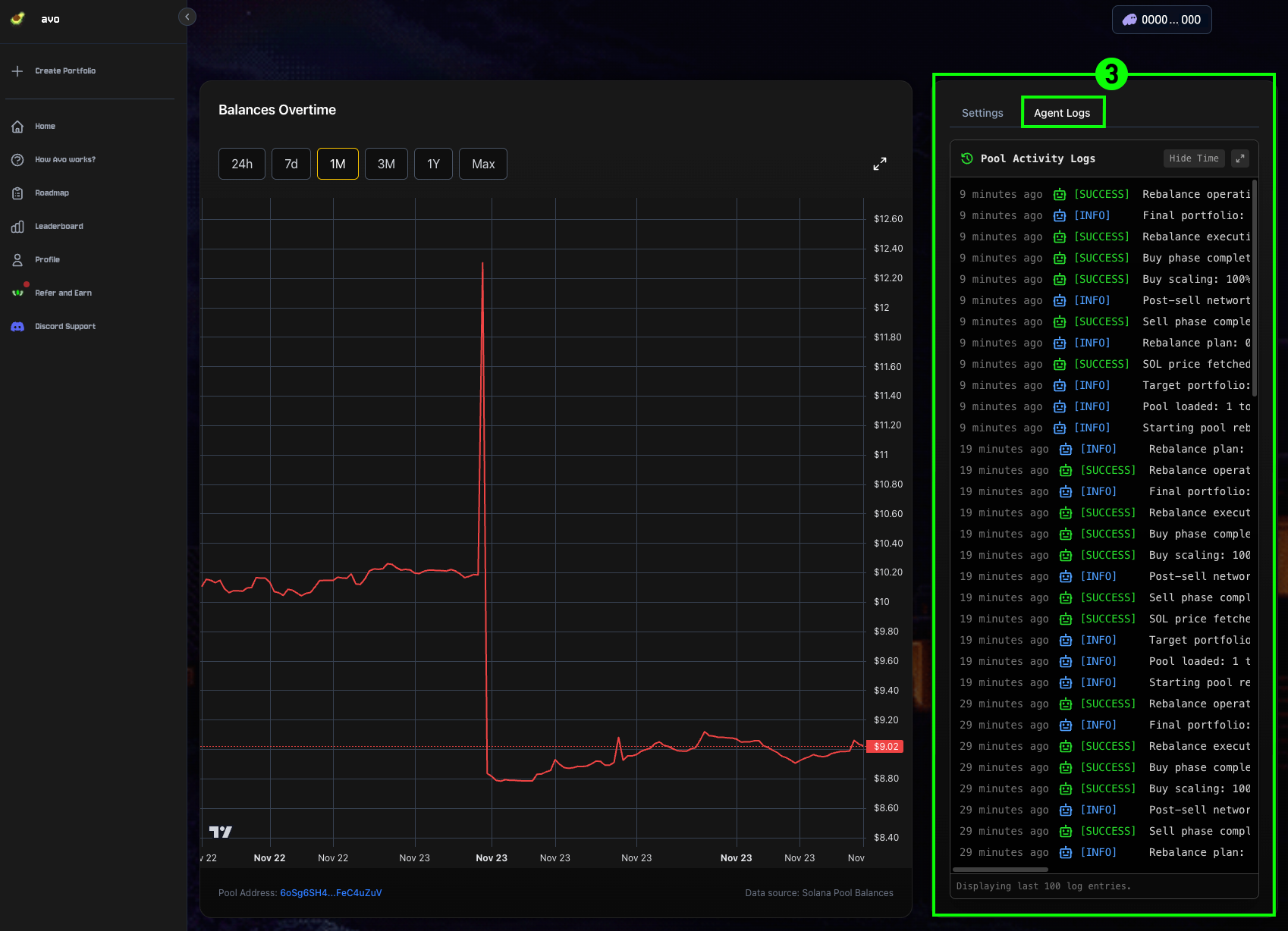
3Pool Activity Logs
Displays all activity logs in real time.
4Current Tokens
Shows tokens currently held in the Agent Pool, including their allocation percentages and total monetary value.