How To
Withdraw Pool Capital
You can withdraw funds from any Agent Pool at any time. When withdrawing, AVO will liquidate all positions in the pool and return the funds to your wallet. You have full control over your capital, with no lockups and no custodial risk.
Withdrawing will close all open positions in the selected pool. This action cannot be reversed.
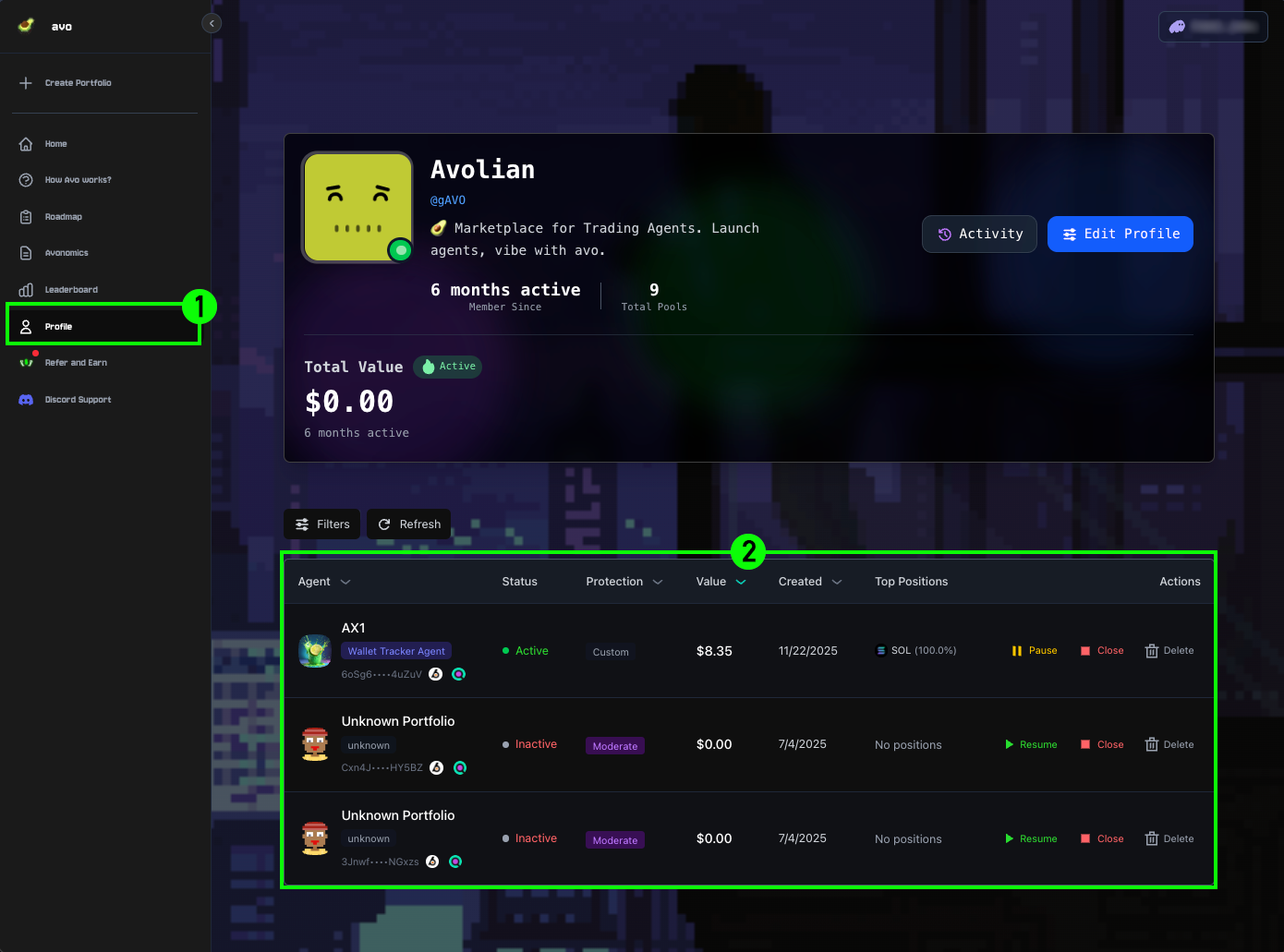
1Open Profile
Navigate from the left sidebar by clicking Profile to access the profile page displaying all Agents and Pools.
2Select Pool
Locate the desired Agent Pool in the list and click it to open the Pool page.
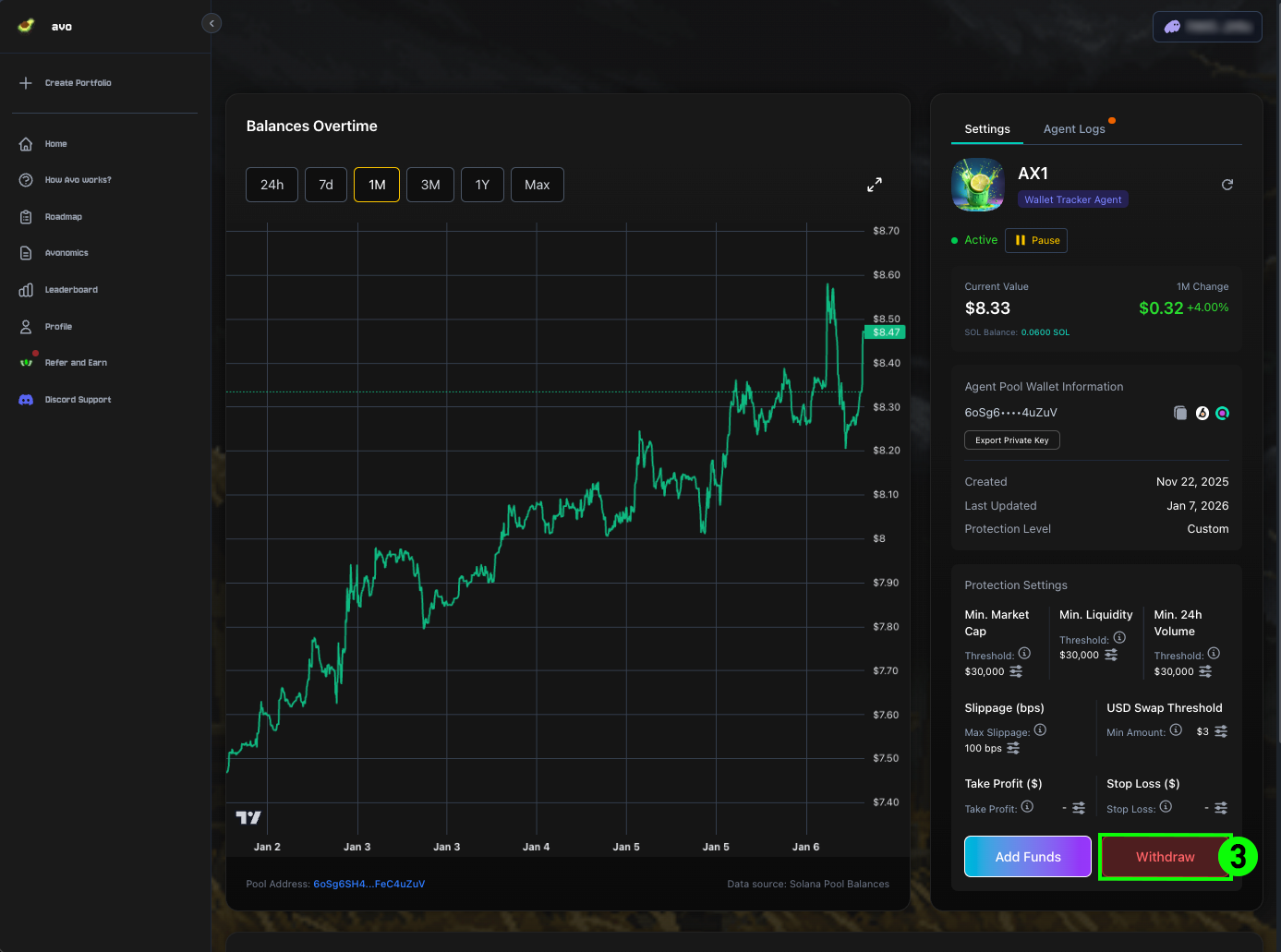
3Click Withdraw
On the Agent Pool page, find the Settings panel on the right side and select Withdraw.
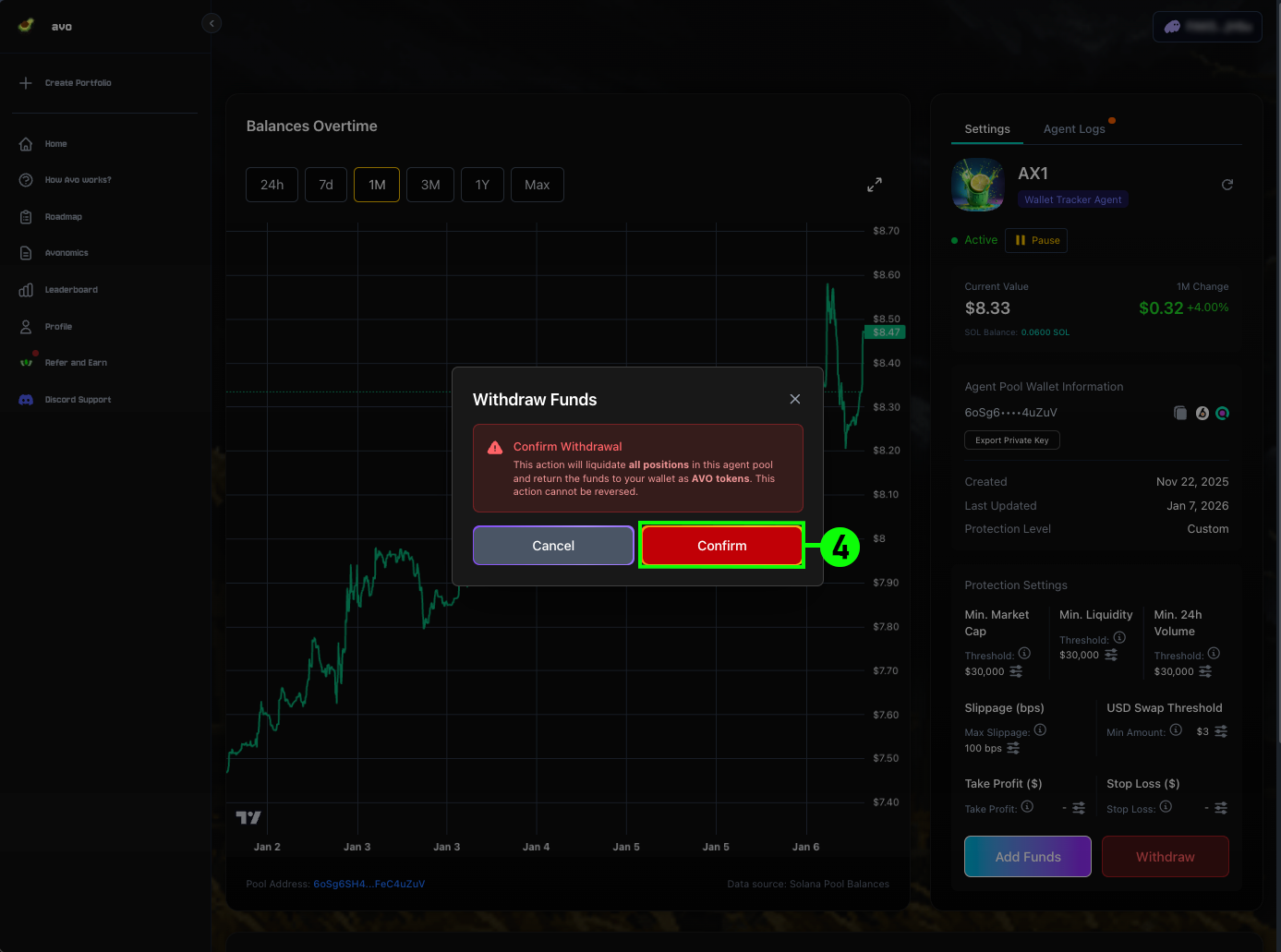
4Confirm Withdrawal
A confirmation modal will appear with the following warnings:
- All positions in the Agent Pool will be liquidated
- Funds will return to your wallet as SOL tokens
- This action cannot be reversed
Click Confirm to proceed.