Pages
Profile Page
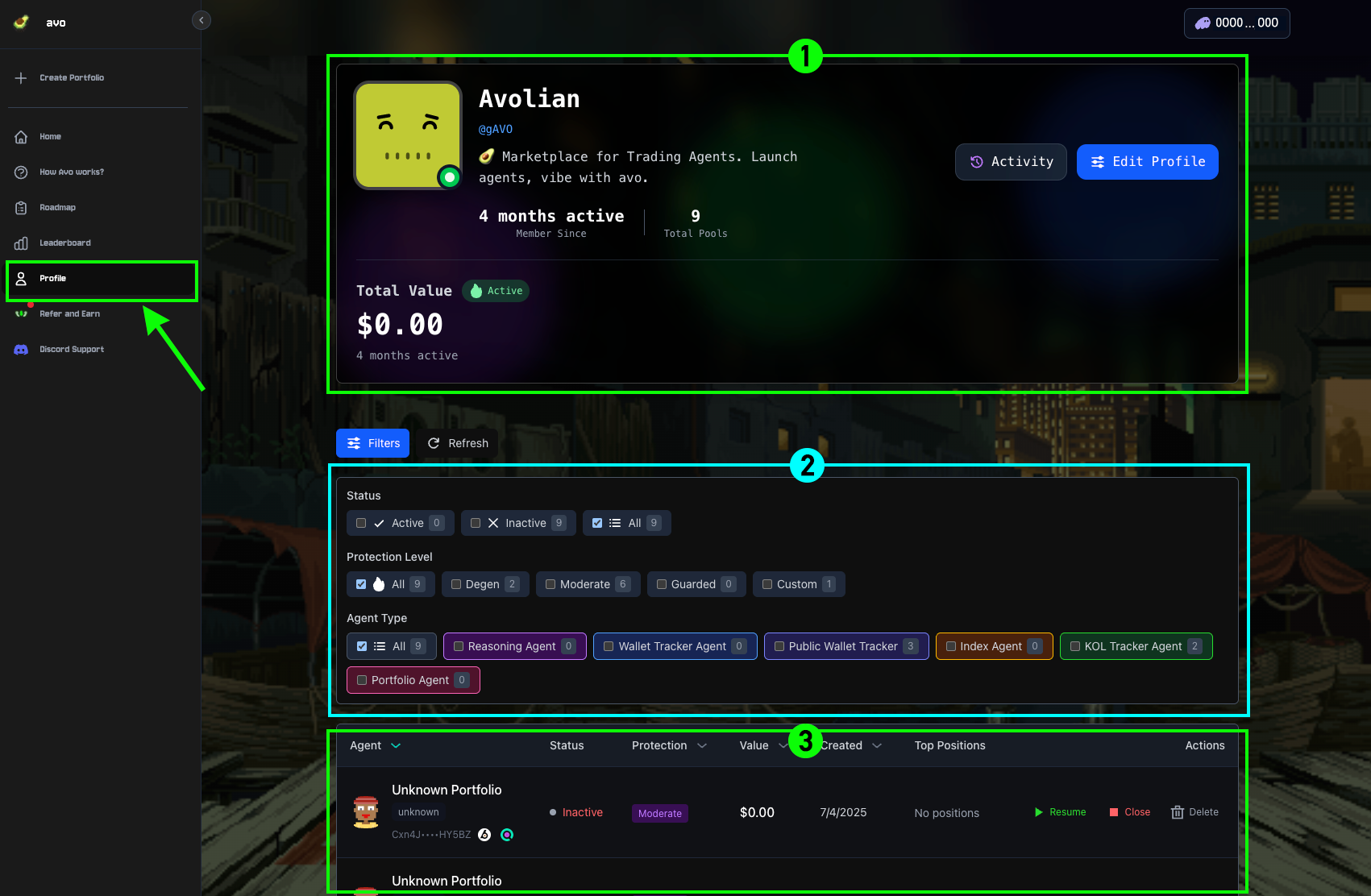
Manage your agents via the Profile Page. The page contains three primary sections:
1User Profile
Displays an overview of your account, including Total Value, Total Pools, Activity, and the option to edit your profile.
2Filters
Allows you to filter and refine the display of all your agents with detailed options.
3Agents
Shows the list of your agents, which updates dynamically based on your selected filter and sort settings.