How To
Manually Control The Agent Pool
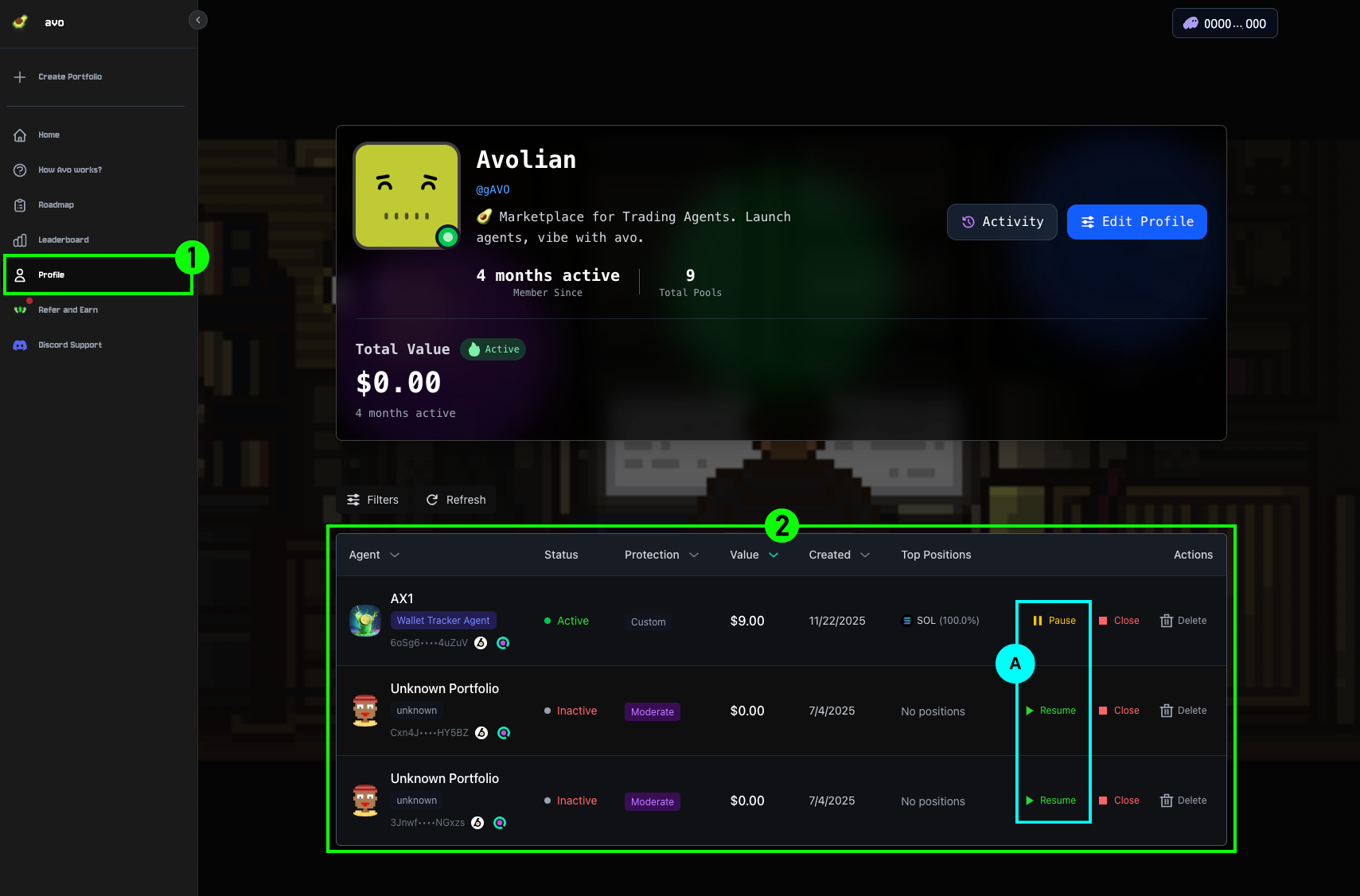
Before exporting the key, make sure to Pause the Agent Pool (A) so no future actions are taken.
1Go to Profile
Navigate to Profile at the top of the homepage.
2Pause and select the Agent
On the Profile page, you will see all your owned Agents. First, Pause the Agent Pool (A) from which you want to export to prevent further actions. Then select the Agent whose private key you wish to export.
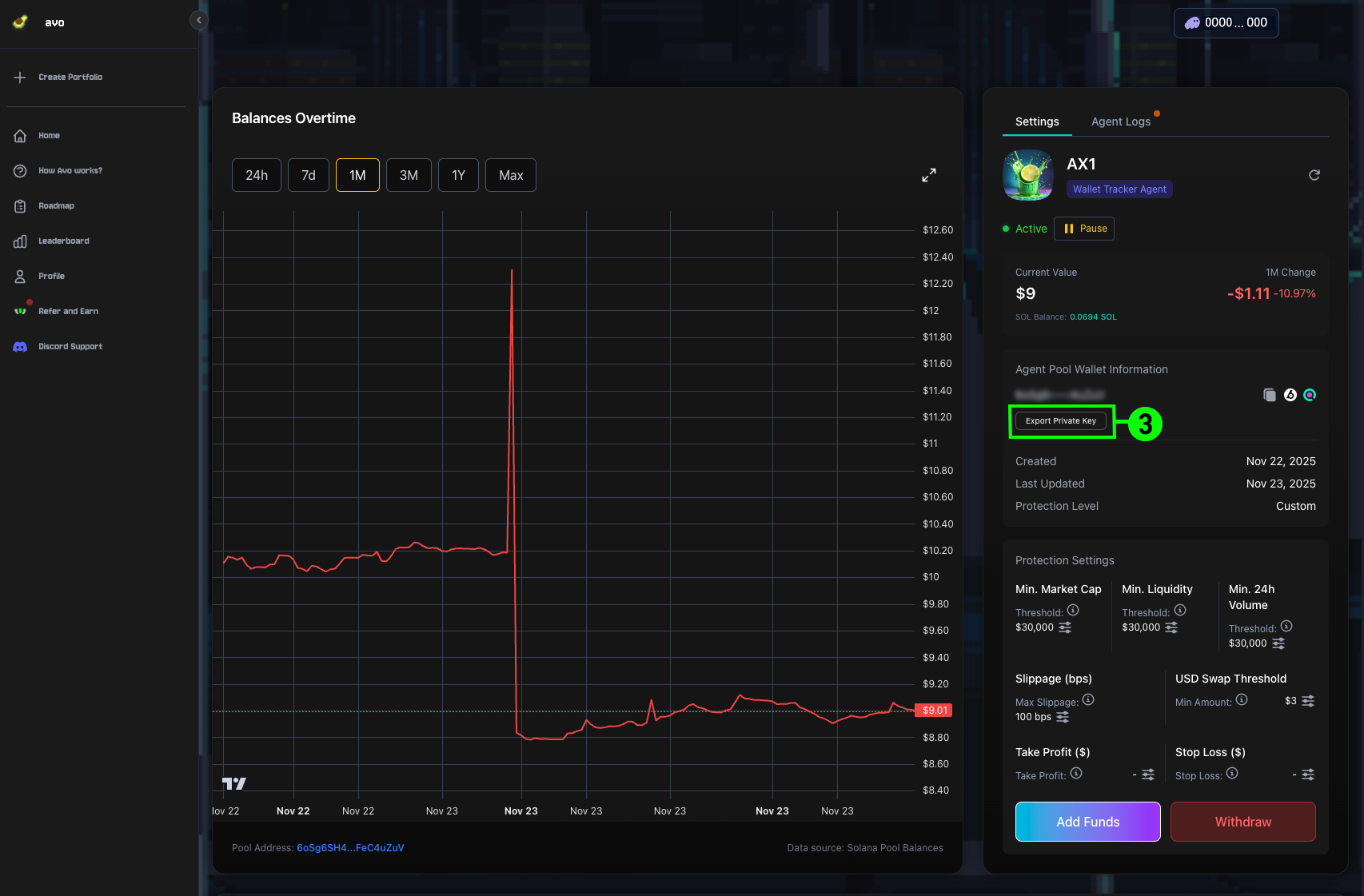
3Export Private Key
Click Export Private Key. The exported key can then be imported into any wallet (such as Phantom) for immediate use.