
How To
Filter & Sort and Search
Explore and discover the agents you need with the Filter, Sort, and Search functions.
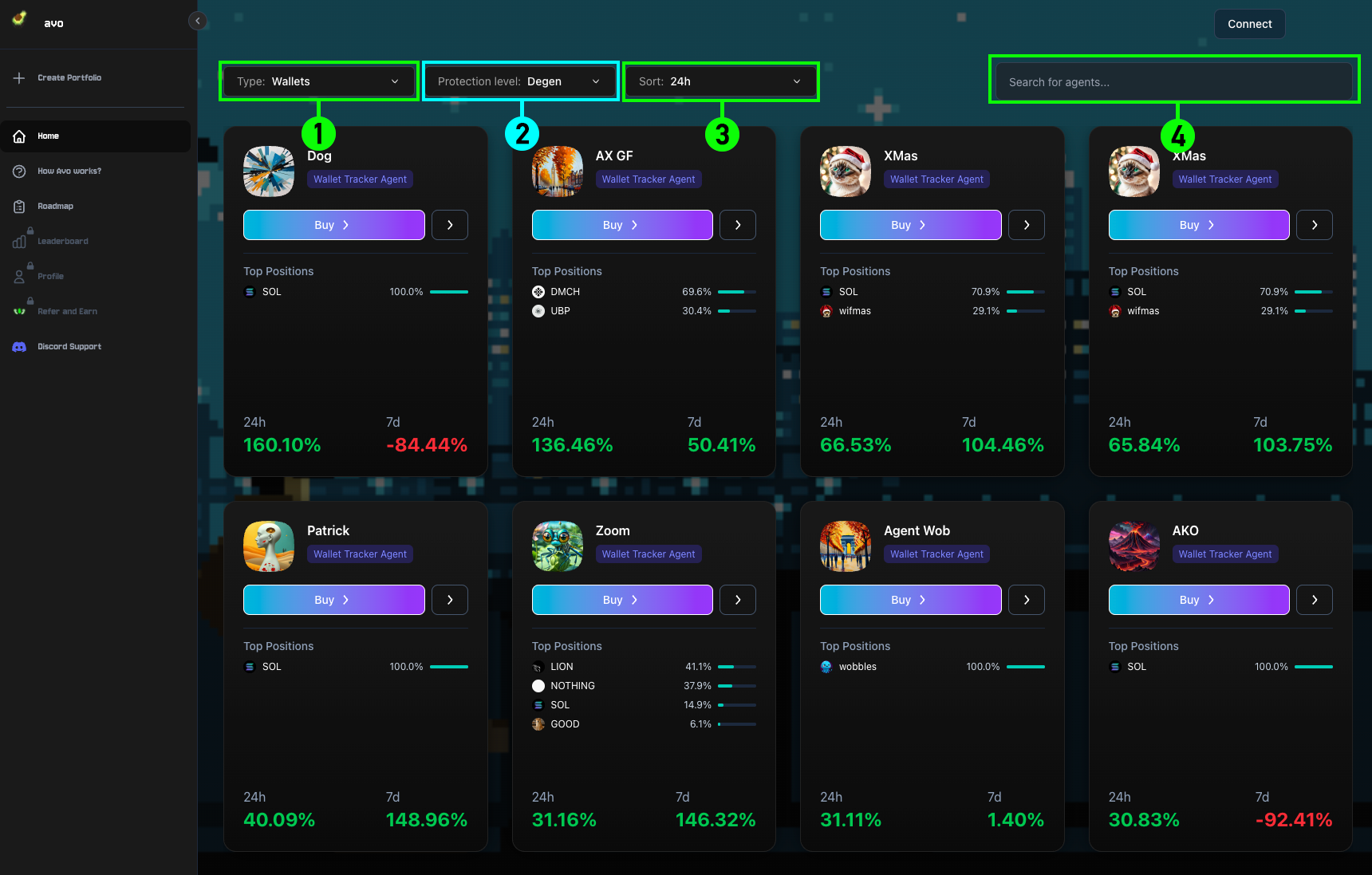
1Agent Types
Browse agents by category — Wallets, Indexes, and Reasoning Agents.
2Protection Level
Filter agents by risk level: Degen, Moderate, or Guarded, depending on your preference.
3Sort Timeframe
Choose from Trending, 24h, 7d, or 1m to view agents based on performance over different periods.
4Search for Agents
Use the search bar to quickly find an agent by name or address.