
How To
Create Agent Tracker
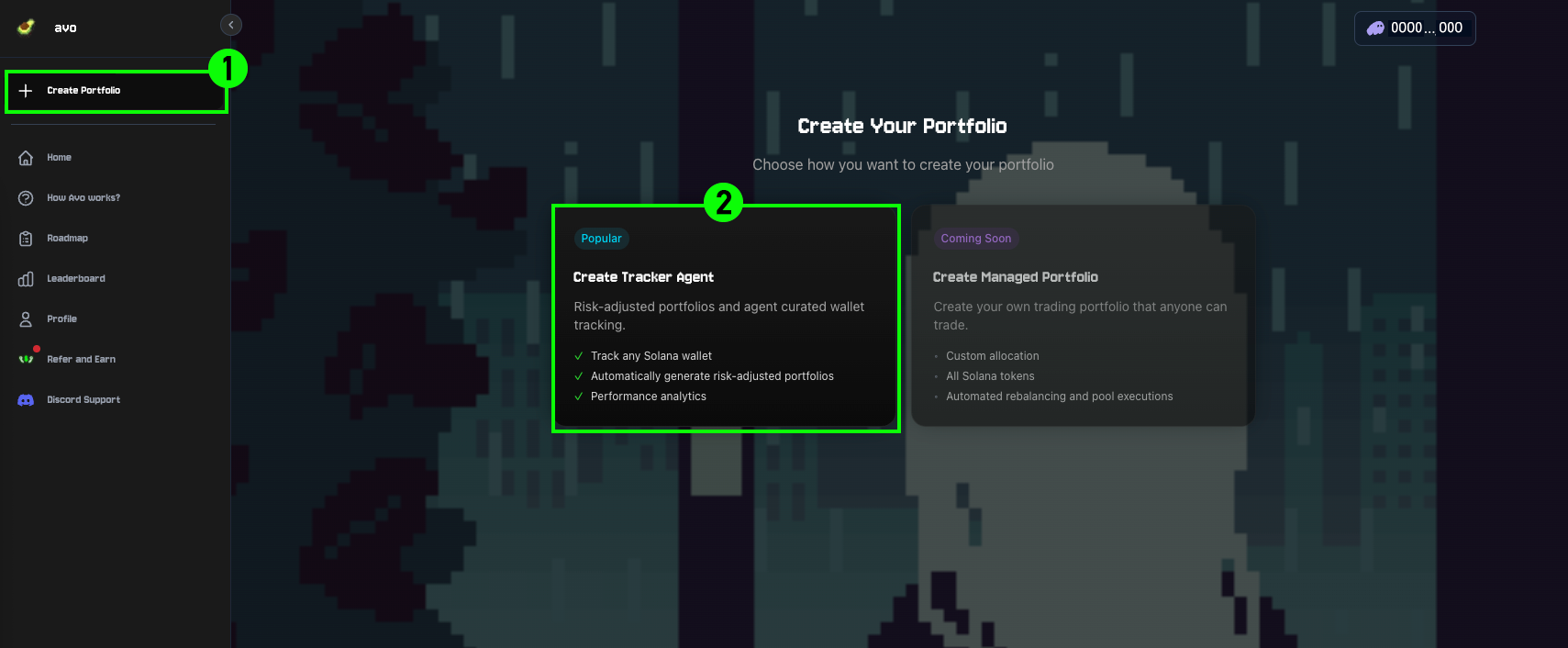
1Open Create Portfolio
Click Create Portfolio on the left sidebar to navigate to the portfolio creation screen.
2Select Tracker Agent
Select Create Tracker Agent to generate a portfolio that monitors any Solana wallet. These agents automatically produce risk-adjusted portfolios and display performance analytics.
3Fill in the details
Complete the form with the following:
- Solana wallet address — the wallet address to track
- Agent name — a name visible to you and other users
- Agent description — optionally add a short description
- Upload agent image — add an avatar in JPG or PNG format
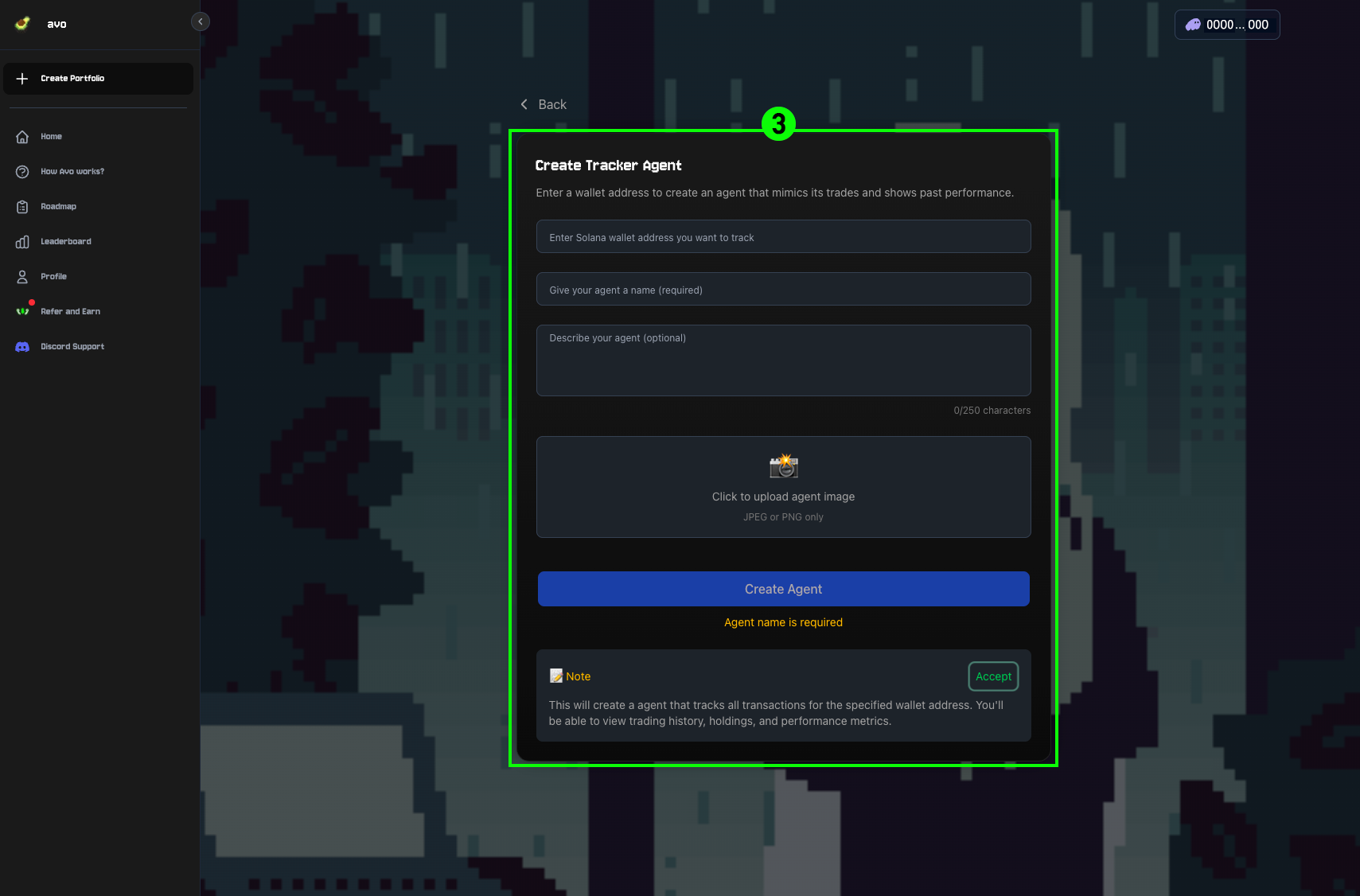
4Create the agent
Click Create Agent to submit. The Tracker Agent begins immediately tracking wallet trades, holdings, and performance metrics.
The wallet address you track must hold at least $300 in assets.